'/%3e%3cpath%20class='a'%20d='M119.19,28.57h10.37a1.2,1.2,0,0,1,1.2,1.2V67.53a1.19,1.19,0,0,1-1.2,1.19H119.19A1.19,1.19,0,0,1,118,67.53V29.77A1.19,1.19,0,0,1,119.19,28.57Z'%20transform='translate(-83.93%20-22.72)'/%3e%3cpath%20class='b'%20d='M159.34,23.63l-6.61,26.82a1.19,1.19,0,0,1-2.32,0l-1.26-5.13a1.2,1.2,0,0,0-1.16-.91H137.62A1.19,1.19,0,0,0,136.48,46l6.6,21.92a1.19,1.19,0,0,0,1.14.85h14.31a1.18,1.18,0,0,0,1.14-.84L173,24.26a1.2,1.2,0,0,0-1.14-1.54H160.5A1.2,1.2,0,0,0,159.34,23.63Z'%20transform='translate(-83.93%20-22.72)'/%3e%3cpath%20class='a'%20d='M210,53.36a1.21,1.21,0,0,1,1.19,1.35,20.52,20.52,0,0,1-1.26,5.12A14.52,14.52,0,0,1,206.47,65a16.36,16.36,0,0,1-5.68,3.46,26.32,26.32,0,0,1-16.86-.26,15.8,15.8,0,0,1-6-4.24,17.3,17.3,0,0,1-3.55-6.52,28.4,28.4,0,0,1-1.15-8.35,29.73,29.73,0,0,1,1.15-8.49,18.53,18.53,0,0,1,3.55-6.83,16.68,16.68,0,0,1,6.24-4.55,22.58,22.58,0,0,1,9.08-1.66q8,0,12.14,3.76a17.07,17.07,0,0,1,5,9.43,1.19,1.19,0,0,1-1,1.45L199,43.36a1.2,1.2,0,0,1-1.27-.85c-.1-.35-.22-.7-.35-1v0a4.82,4.82,0,0,0-4-2.89,5.94,5.94,0,0,0-.73,0A5,5,0,0,0,188.1,41c-1,1.61-1.52,4.14-1.52,7.59a19.78,19.78,0,0,0,.54,5.2,8.21,8.21,0,0,0,1.43,3.12,4.32,4.32,0,0,0,2.08,1.51,7.06,7.06,0,0,0,2.42.4,5.18,5.18,0,0,0,3.71-1.32,6.5,6.5,0,0,0,1.61-3.12,1.19,1.19,0,0,1,1.16-1Z'%20transform='translate(-83.93%20-22.72)'/%3e%3cpath%20class='a'%20d='M230.61,54.23l-1.79,2.16a1.2,1.2,0,0,0-.27.76V67.53a1.19,1.19,0,0,1-1.2,1.19H217a1.19,1.19,0,0,1-1.19-1.19V29.77a1.19,1.19,0,0,1,1.19-1.2h10.37a1.2,1.2,0,0,1,1.2,1.2v8.7a1.19,1.19,0,0,0,2.12.74L238.76,29a1.2,1.2,0,0,1,.93-.45H250a1.2,1.2,0,0,1,.92,2L240.54,43a1.18,1.18,0,0,0-.13,1.34L253,67a1.19,1.19,0,0,1-1,1.77H240.8a1.18,1.18,0,0,1-1.06-.64l-7.15-13.64A1.2,1.2,0,0,0,230.61,54.23Z'%20transform='translate(-83.93%20-22.72)'/%3e%3c/svg%3e)
'/%3e%3cpath%20class='a'%20d='M35.26,5.85H45.63a1.2,1.2,0,0,1,1.2,1.2V44.81A1.19,1.19,0,0,1,45.64,46H35.26a1.19,1.19,0,0,1-1.19-1.19h0V7.05a1.19,1.19,0,0,1,1.18-1.2Z'%20transform='translate(0%200)'/%3e%3cpath%20class='b'%20d='M75.41.91,68.8,27.73a1.19,1.19,0,0,1-1.43.89,1.17,1.17,0,0,1-.89-.89L65.22,22.6a1.2,1.2,0,0,0-1.16-.91H53.69a1.19,1.19,0,0,0-1.14,1.59l6.6,21.92a1.19,1.19,0,0,0,1.14.85H74.6a1.19,1.19,0,0,0,1.14-.84L89.07,1.54A1.2,1.2,0,0,0,88.26.05a1.26,1.26,0,0,0-.33,0H76.57A1.2,1.2,0,0,0,75.41.91Z'%20transform='translate(0%200)'/%3e%3cpath%20class='a'%20d='M126.07,30.64a1.21,1.21,0,0,1,1.2,1.22s0,.09,0,.13A20.63,20.63,0,0,1,126,37.11a14.61,14.61,0,0,1-3.46,5.17,16.36,16.36,0,0,1-5.68,3.46A26.37,26.37,0,0,1,100,45.48a15.7,15.7,0,0,1-6-4.24,17.38,17.38,0,0,1-3.55-6.52,28.4,28.4,0,0,1-1.15-8.35,29.73,29.73,0,0,1,1.15-8.49A18.45,18.45,0,0,1,94,11.05a16.76,16.76,0,0,1,6.24-4.55,22.58,22.58,0,0,1,9.08-1.66q8,0,12.14,3.76a17.1,17.1,0,0,1,5,9.43,1.19,1.19,0,0,1-.89,1.43l-.11,0-10.39,1.16a1.2,1.2,0,0,1-1.27-.85,8.35,8.35,0,0,0-.35-1h0a4.84,4.84,0,0,0-4-2.89h-.73a5,5,0,0,0-4.55,2.38c-1,1.61-1.52,4.14-1.52,7.59a19.78,19.78,0,0,0,.54,5.2,8.21,8.21,0,0,0,1.43,3.12,4.32,4.32,0,0,0,2.08,1.51,7.15,7.15,0,0,0,2.42.4,5.16,5.16,0,0,0,3.71-1.32,6.5,6.5,0,0,0,1.61-3.12,1.19,1.19,0,0,1,1.16-1Z'%20transform='translate(0%200)'/%3e%3cpath%20class='a'%20d='M146.68,31.51l-1.79,2.16a1.22,1.22,0,0,0-.27.76V44.81A1.19,1.19,0,0,1,143.43,46H133.07a1.19,1.19,0,0,1-1.19-1.19h0V7.05a1.19,1.19,0,0,1,1.18-1.2h10.38a1.2,1.2,0,0,1,1.2,1.2v8.7a1.19,1.19,0,0,0,1.19,1.19,1.21,1.21,0,0,0,.93-.45l8.07-10.21a1.21,1.21,0,0,1,.93-.45h10.31A1.21,1.21,0,0,1,167.3,7a1.26,1.26,0,0,1-.31.83L156.61,20.28a1.18,1.18,0,0,0-.13,1.34l12.59,22.66a1.19,1.19,0,0,1-.46,1.62,1.25,1.25,0,0,1-.54.15h-11.2a1.17,1.17,0,0,1-1.06-.64l-7.15-13.64a1.21,1.21,0,0,0-1.61-.55A1.16,1.16,0,0,0,146.68,31.51Z'%20transform='translate(0%200)'/%3e%3c/svg%3e)
'/%3e%3c/svg%3e)
What belongs on a status page?
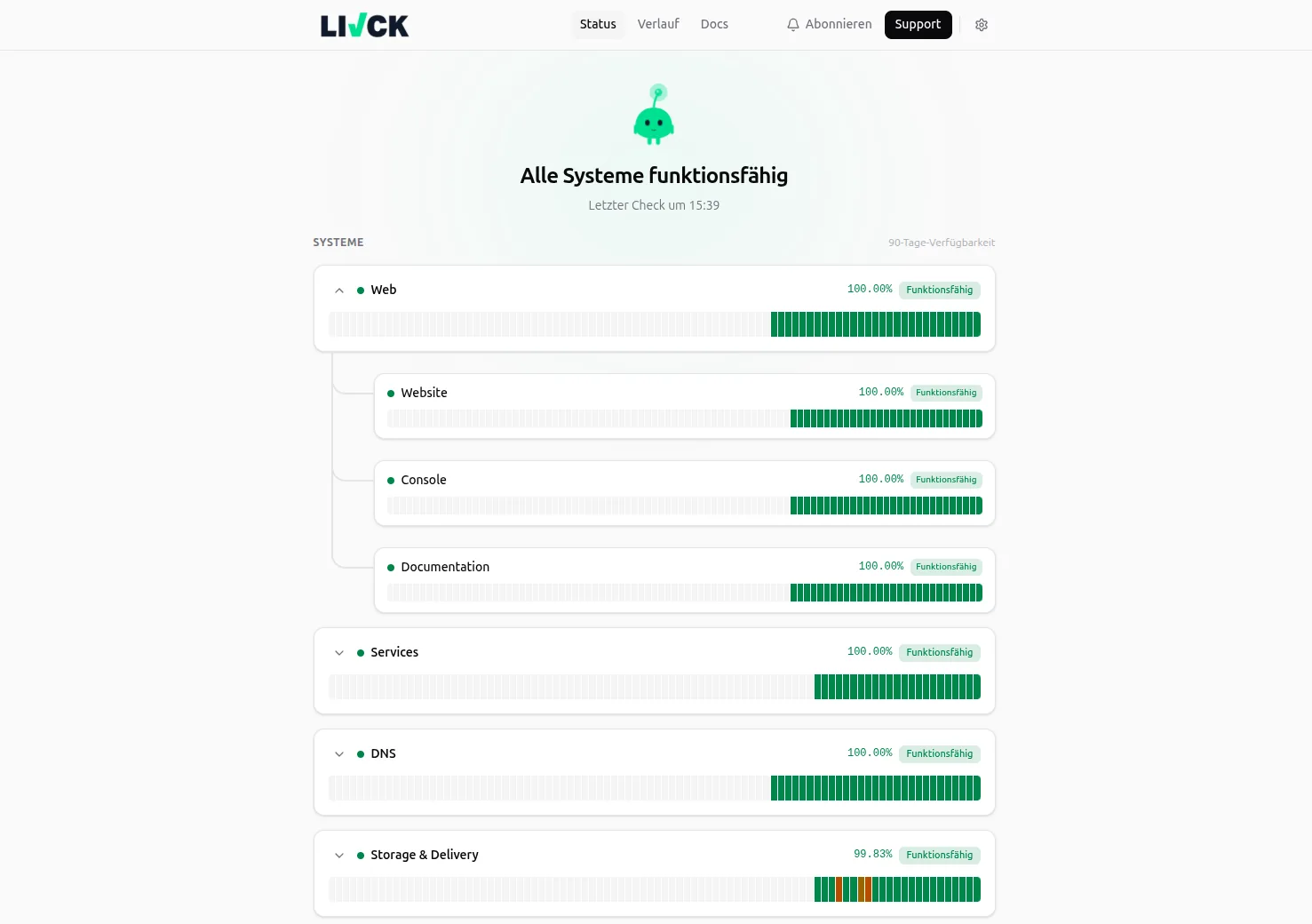
The overall state, a short list of components, ongoing incidents, announced maintenance and the history of the past weeks. Nothing else. A status page is not an architecture diagram; it answers exactly one question: is it you or is it me?
The most important decision is what the components are called, and it comes before any styling. Components are named after what a customer is trying to do, not after what sits in your data centre. “Sign-in”, “Payments”, “File upload” answer the question. “api-gateway-eu-west” and “redis-primary” do not — they are accurate and still useless, because nobody outside your team knows which one is their problem.
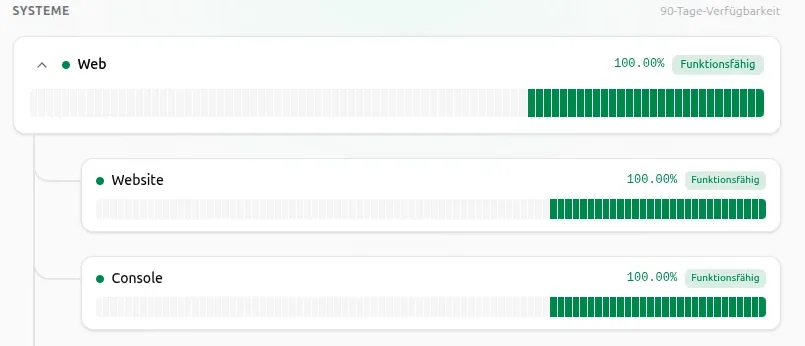
Components can be grouped. A group “Web” with the children “Website”, “Console” and “Documentation” shows the summarised state at the top and the detail underneath for whoever wants it. That keeps the page short without dropping information.
Every component carries a state, and that state is computed rather than typed in: operational, degraded, partial outage, major outage, under maintenance. It follows the monitoring of the service behind it — so the page cannot say “all good” while the checks have been failing for an hour.
- Operational
- All checks pass. The normal state, shown ninety-nine percent of the time.
- Degraded
- The service answers, but not correctly — too slowly, or with a response that violates an assertion.
- Partial outage
- Some measurement locations or some components of a group are affected, not all of them.
- Major outage
- The service is unusable. The state visitors actually come to the page for.
- Under maintenance
- An announced window is running. Visible from the announcement until it closes, so nobody mistakes a planned restart for an outage.
To maintain a state by hand, create the service with the check type “Manual”. No automatic check runs, and the state only changes when a human changes it — useful for anything that cannot be measured from the outside, such as a delivery service or a phone system.